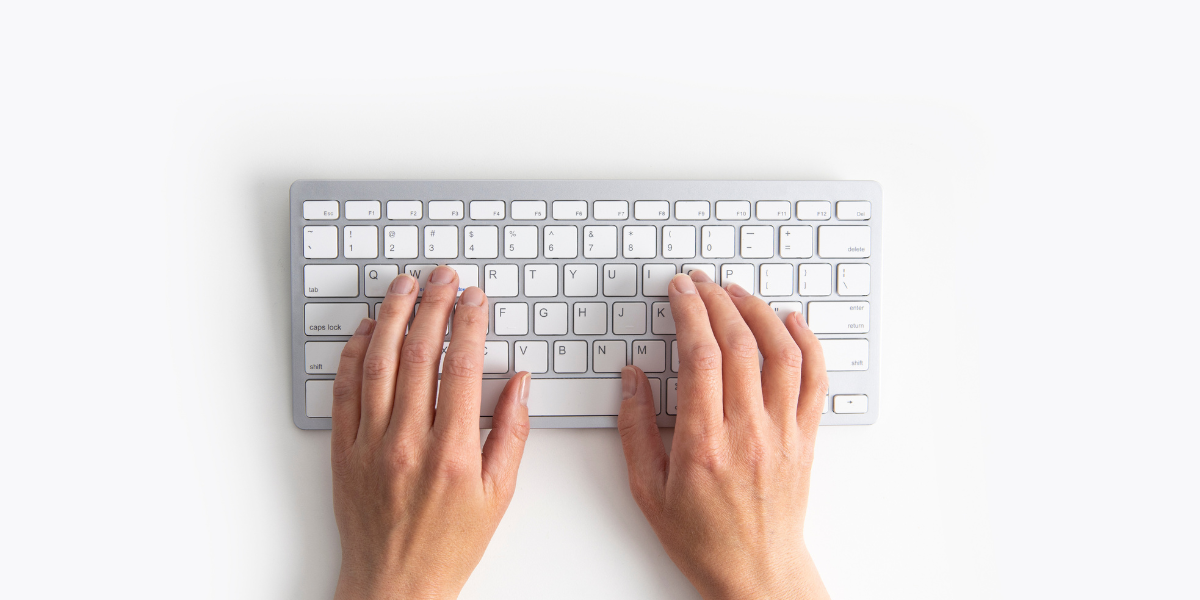
Typing faster is not only about moving your fingers quickly over the keyboard. It is more about making your typing smooth, making fewer mistakes, and reducing the pauses you take while searching for keys. Once your fingers start keeping up with your thoughts, typing becomes much easier, whether you are writing messages, articles, notes, or doing any other work.
Why typing speed is not only about speed
Typing speed is normally measured in WPM, which means words per minute. But only having a high WPM does not always mean that you are a good or fast typist.
The most important thing is your typing flow. When you can type continuously without getting stuck, your thoughts can easily reach the screen without getting interrupted.
- You pause less while searching for keys.
- You spend less time correcting the same mistakes.
- You focus more on what you are writing instead of focusing on the keyboard.
That is why typing at a smooth 55 WPM with great accuracy can be better than typing at a messy 80 WPM with a lot of mistakes and Backspace presses.
Your real goal should be to type at a speed that you can maintain comfortably without losing your rhythm.
The three typing measurements that actually matter
While checking your typing progress, there are mainly three things you should look at: WPM, accuracy, and consistency.
1. WPM or words per minute
WPM tells you how many words you can type in one minute. It is useful for checking your speed, but it only gives a clear result when your accuracy is also good.
If your WPM is increasing while your accuracy is dropping, then you are mostly getting faster at pressing keys, not necessarily getting better at typing.
So, do not judge your typing ability only by the highest WPM you have reached in a single test.
2. Accuracy
Accuracy shows how correctly you are pressing the keys. The higher your accuracy is, the less time and energy you waste fixing your mistakes.
Try to maintain around 97% to 99% accuracy during your normal practice. You do not need to get 100% every time, but your typing should be clean and under your control.
If your accuracy is very low, slow down a little before trying to increase your speed again.
3. Consistency
Consistency is one of the most ignored parts of typing. It is the difference between reaching a high score only once and being able to type at a good speed every day.
For example, if you reach 80 WPM once but normally type around 55 WPM, then 80 WPM is not yet your comfortable typing speed.
Consistency comes when your hands stay relaxed, your finger movements become familiar, and you can repeat the same typing rhythm without much effort.
What good typing should look and feel like
Good typing normally feels smooth, relaxed, and controlled. You should not feel like you are fighting with the keyboard or trying to force every keypress.
Most good typists follow a few similar habits:
- They keep their eyes on the screen instead of looking at the keyboard repeatedly.
- They press the keys lightly instead of hitting them with too much force.
- They use Backspace less often because they are pressing the correct keys most of the time.
- They maintain a steady pace instead of typing very fast and then stopping suddenly.
- They sit comfortably with relaxed shoulders and wrists in a natural position.
If typing feels tight, painful, or stressful, then there may be a problem with your posture, finger placement, or practice speed. It does not always mean that you need to move your fingers faster.
Home row is helpful, but do not stress too much over it
The common typing rule is to place your left-hand fingers on A, S, D, F and your right-hand fingers on J, K, L, ;. This is known as the home row position.
It is a great starting position, especially if you are learning touch typing from the beginning. It gives your fingers a fixed base and makes other keys easier to reach.
But your goal should not only be to follow a finger diagram perfectly. Your main goal is to build comfortable finger movements that you can repeat without thinking.
If you already type at a decent speed, you may not need to restart your complete typing journey. Instead, focus on:
- reducing uncomfortable finger and hand movements,
- fixing the keys where you make repeated mistakes,
- and developing a steady rhythm that you can maintain.
You should still try to use the correct fingers, but do not make yourself too tense while trying to follow every rule.
The fastest way to improve without getting tired
Typing improvement requires practice, but doing long and tiring sessions is not always the fastest way.
A short and focused practice session can give you better results than typing randomly for one or two hours.
Step 1: Slow down on purpose
For a few days, choose a typing speed where you can maintain good accuracy. Do not try to break your WPM record in every test.
Focus on making every keypress clean and controlled. When your fingers stop making unnecessary movements and mistakes, your speed will start increasing naturally.
Slowing down may feel like you are going backwards, but it helps you fix the mistakes that are limiting your current speed.
Step 2: Practice in short sessions
You do not always need to practice for ninety minutes. Even a focused fifteen-minute session can be enough if you practice regularly.
You can divide a fifteen-minute practice session like this:
- 3 minutes: Start with easy words and warm up your fingers at a relaxed speed.
- 5 minutes: Focus on accuracy and type slowly enough to avoid unnecessary mistakes.
- 5 minutes: Push your speed slightly, but do not panic or lose your rhythm.
- 2 minutes: Slow down again and finish with smooth and accurate typing.
This kind of practice trains both accuracy and speed without making your hands too tired.
Step 3: Track the keys that create problems
Most people are not slow on every key. They usually hesitate on a few letters, symbols, or key combinations, and those small problem areas control their overall typing speed.
Some common problem areas are:
- punctuation keys such as
. , ' ; / - Shift symbols such as
? ! @ - letter combinations such as
th,er,ion, anding - less commonly used letters such as Q, Z, X, and P
Pay attention to the keys where your fingers stop or become confused. Then practice those keys and patterns separately for one or two minutes.
Small and targeted practice can improve your typing more than repeatedly taking random speed tests.
Common mistakes that keep your typing speed stuck
When your typing speed stops improving, it does not always mean that you need to practice for more time. Sometimes, you only need to identify and fix the mistakes in your technique.
Trying to type faster in every practice
Many people enter every typing test with only one goal: beat their last WPM score.
But speed comes from smooth movements, not from forcing your fingers. When you feel rushed, your hands become tense, your accuracy drops, and you start pressing Backspace repeatedly.
Instead of trying to set a new record every time, choose a calm speed that you can maintain for the complete test.
Fixing every mistake immediately
In normal writing, you should correct your mistakes. But during some flow-focused practice sessions, repeatedly stopping and pressing Backspace can disturb your rhythm.
Depending on the typing test rules, you can sometimes continue after a mistake and focus on keeping your hands relaxed.
You should also complete separate accuracy-focused sessions where you slow down and try to avoid the mistake before it happens.
The goal is not to ignore accuracy. The goal is to stop panicking after every wrong keypress.
Practicing only random words
Random word tests are useful for improving basic finger movement, but real typing is not made only of simple lowercase words.
While writing normally, you also need capital letters, punctuation, numbers, symbols, and sentences of different lengths.
So, include both random words and real paragraphs in your practice. This will help you improve your test speed as well as your practical typing speed.
Practicing for too long
Long practice sessions can make your fingers and wrists tired. Once your hands become tired, your accuracy starts dropping and you may build bad finger movements.
It is better to complete a short session with full focus than to continue typing when your hands and mind are already tired.
Take a short break if you feel stiffness, pain, or a sudden drop in accuracy.
Looking at the keyboard repeatedly
Looking at the keyboard may help you find a key immediately, but it slows down the development of muscle memory.
Every time you look down, your brain switches its focus from the screen to the keyboard and then back again. This breaks your flow.
Try to keep your eyes on the screen as much as possible. You may become slower at first, but your fingers will eventually start remembering the key positions.
A simple 14-day typing improvement plan
If you are confused about what to practice every day, you can follow this simple two-week plan.
You do not need to practice for hours. Around 15 to 30 minutes per day can be enough, depending on your current level and comfort.
Days 1 to 3: Reset your accuracy
- Type slower than your normal speed.
- Try to maintain around 98% to 99% accuracy.
- Focus on clean keypresses and relaxed hands.
- Notice which keys create the most mistakes.
During these first days, do not worry if your WPM becomes lower. You are fixing your base before increasing speed again.
Days 4 to 7: Build your rhythm
- Keep your accuracy high.
- Increase your speed slightly in every session.
- Try to maintain the same pace throughout the complete test.
- Add one short punctuation practice session every day.
The goal is to stop typing in sudden bursts and develop a speed you can hold comfortably.
Days 8 to 10: Work on your weaknesses
- Select your top two or three problem keys or letter combinations.
- Practice words and sentences that include those keys.
- Keep the targeted session short because five focused minutes can be enough.
Do not try to fix every weakness in one day. Focus on a few problems and improve them step by step.
Days 11 to 14: Improve performance and confidence
- Complete one best-effort speed test per day.
- Also complete one slower test with proper form and high accuracy.
- Compare your average results instead of only looking at your highest score.
- Check whether your accuracy and rhythm stay stable at higher speeds.
At the end of the 14 days, you may or may not see a huge WPM jump. But your typing should feel smoother, more controlled, and less tiring.
How to know that you are actually improving
Typing improvement does not always show up immediately as a higher WPM score.
You are also improving when:
- you look at the keyboard less often,
- your hands feel more relaxed,
- you repeat fewer mistakes,
- you use Backspace less often,
- you can maintain the same speed for a longer time,
- and your typing feels less mentally tiring.
These improvements help you build the base required for a higher and more consistent WPM.
The main idea
Smooth typing becomes fast typing. Keep your hands relaxed, keep your eyes on the screen, and practice for a short time on most days.
Do not only chase your highest WPM score. Focus on accuracy, consistency, rhythm, and the specific keys that slow you down.
The improvements may feel small from one day to another, but after a few weeks, you will notice that your fingers move more naturally and your typing requires less effort.
In short, do not force speed. Build clean and repeatable finger movements first, and higher typing speed will eventually follow.