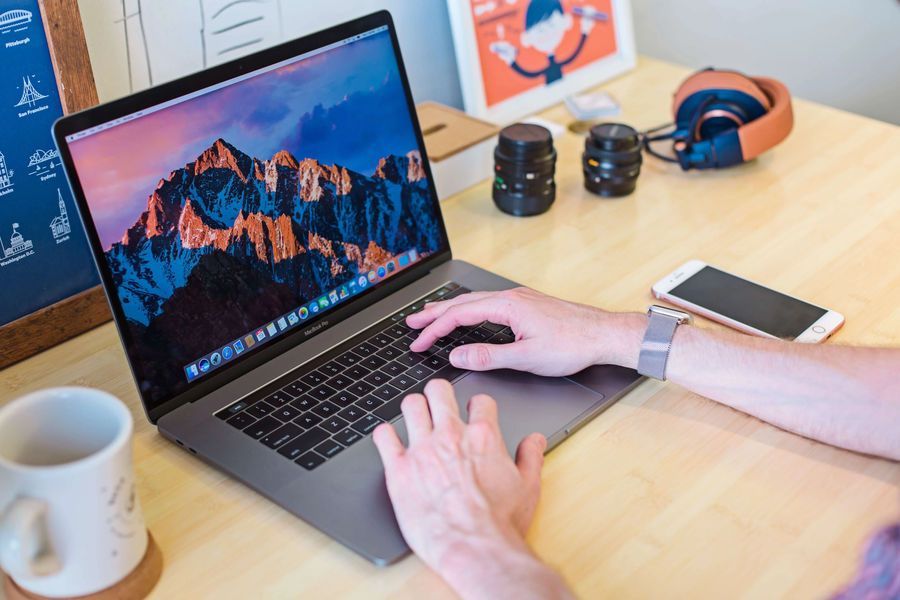
Typing on a laptop keyboard vs a separate keyboard is a different thing. Both can be used for typing practice and both can help you improve your typing speed, but the feeling, comfort, size, and typing experience can be different.
Laptop keyboards usually have less key travel, which may feel like they will register the keys faster than a separate keyboard. But that is not always the case. Both laptop keyboards and normal external keyboards can register keys at almost the same speed. Even if there is a small difference because of brand, switch type, or keyboard quality, the difference is usually not that much that it will affect your typing speed a lot.
The real difference is not only about key travel or key registration speed. There are other aspects that make both different, and those things may eventually affect your typing speed, accuracy, comfort, and typing experience.
In this post, we are going to discuss laptop keyboard vs external keyboard and which one can be better for typing.
Key Travel and Typing Feel
Key travel means how much distance a key moves when you press it. Laptop keyboards usually have short key travel because the keyboard needs to fit inside a thin laptop body.
Short key travel can feel fast because your fingers do not need to press the key too deep. This can make laptop keyboards feel quick and light for some people.
But some users may not like this feeling because the keys can feel too flat or less satisfying. If the keys are too shallow, you may also feel like you are not getting proper feedback from the keyboard.
External keyboards can have different types of key travel. Some have short travel, some have medium travel, and some mechanical keyboards have deeper key movement. This gives you more options to choose the typing feel that suits you.
So, short key travel does not always mean faster typing. The best keyboard is the one where your fingers feel comfortable, accurate, and consistent.
Ergonomics
A laptop keyboard fits on the laptop bottom surface. Since a laptop is a portable device, the keyboard stays flat on the lower body and also shares space with the touchpad. This can create an ergonomic issue for many users.
Because the keyboard and screen are connected in one device, you cannot freely adjust the keyboard position without also moving the screen. If you keep the laptop screen at eye level, the keyboard may become too high. If you keep the keyboard comfortable for your hands, the screen may become too low.
This can affect your neck, shoulders, wrists, and sitting posture during long typing sessions.
A laptop keyboard can also make your wrists uncomfortable because there is limited space around the keyboard. Some users rest their wrists on the laptop body, while some keep their hands floating. Both can feel uncomfortable if the position is not right.
On a normal external keyboard, you get more freedom. You can place the keyboard wherever your hands feel comfortable. You can move it closer, farther, left, or right according to your sitting posture.
Many external keyboards also provide different slope or angle adjustments. You can change the keyboard angle according to your preference, which may enhance the comfort of your hands and wrists while typing.
So, in terms of ergonomics, external keyboards usually provide more comfort and flexibility, especially for long typing sessions.
Size Control and Options
Since a laptop keyboard is already fitted on the laptop, you cannot change it frequently or modify it according to your comfort. This is one of the major disadvantages of a laptop keyboard.
If your laptop keyboard feels too small, too flat, too hard, or uncomfortable, you cannot replace it easily like a normal keyboard. You have to adjust with it or use an external keyboard.
An external keyboard can be purchased according to your preference, size, layout, switch type, and typing feel.
You can choose a full-size keyboard, TKL keyboard, 75% keyboard, 65% keyboard, or even a compact keyboard depending on your desk space and typing needs.
If you use numbers a lot, then a full-size keyboard with numpad can be useful. If you want more mouse space or a compact setup, then a smaller keyboard can be better.
This type of size control is not possible with laptop keyboards.
Hand Size and Key Spacing
Laptop keyboards are made to fit in a compact space. Because of that, the key spacing and layout may feel smaller or tighter compared to some external keyboards.
If you have bigger hands, typing on a laptop keyboard may feel uncomfortable. Your fingers may hit nearby keys more often, which can increase typing mistakes.
Some laptop keyboards are very good and comfortable, but not every laptop gives the same typing experience. Thin laptops especially may have very shallow keys and compact layouts.
On an external keyboard, you can choose a keyboard that fits your hand size better. If you like bigger keys, more spacing, or a certain layout, you can choose accordingly.
This can help you type more comfortably and reduce mis-clicks during long typing sessions.
Mechanical vs Membrane Keyboards
One big benefit of external keyboards is that you can choose between mechanical, membrane, scissor-switch, or low-profile keyboards.
Mechanical keyboards are popular because they give a better typing feel to many users. They can feel more responsive, satisfying, and comfortable depending on the switch type.
Membrane keyboards are usually cheaper and quieter. Some people like them because they feel soft and simple.
Low-profile keyboards can feel closer to laptop keyboards but still give you the benefit of better placement and external comfort.
This depends totally on your personal preference. Some people type faster on laptop keyboards, while some type faster on mechanical keyboards. The keyboard itself does not magically increase your speed, but a comfortable keyboard can help you type more consistently.
Options and Customization
On an external keyboard, you can get one based on look and feel, RGB or simple design, big or small size, key travel, mechanical or membrane type, colors, sound, switches, keycaps, and other factors.
Some of these factors are just there for aesthetics, but they can still play a role in your typing journey.
If you enjoy typing on your keyboard, you may feel more interested in practicing for a long time. A keyboard that feels good can make typing more fun and less boring.
For example, someone may enjoy a quiet keyboard, while someone else may enjoy a clicky mechanical keyboard. Some people like RGB lights, while some prefer a clean and simple setup.
Laptop keyboards do not give this much customization. You mostly have to use whatever keyboard comes with the laptop.
Portability
Technically, both laptop keyboards and external keyboards can be portable. But a laptop is already a complete typing machine. You can travel with your laptop, open it, and start typing anywhere.
This makes laptop keyboards very convenient for students, travelers, office workers, or anyone who wants to type in different places.
An external keyboard is also portable technically, but it can be quite a hassle to carry, connect, and maintain, especially if you use it with a laptop, phone, or tablet.
If you use an external keyboard with your PC setup, then it usually permanently sits on your desk. In that case, it becomes less portable.
So, if you travel frequently or want a simple portable typing machine, a laptop keyboard is more convenient.
Desk Setup and Comfort
If you type for many hours every day, your desk setup matters a lot. With a laptop keyboard, your screen and keyboard are connected, so you have less control over setup.
With an external keyboard, you can keep your laptop on a stand and place the keyboard at a comfortable hand position. This can improve your posture because your screen can stay at eye level and your keyboard can stay at a comfortable height.
This setup can be much better for long typing sessions, content writing, coding, office work, or typing practice.
So, if you mostly type at one place, using an external keyboard with a proper desk setup can be more comfortable.
Typing Speed Difference
Many people think that a keyboard can directly increase typing speed. But the truth is, your typing speed mostly depends on your skill, accuracy, muscle memory, and practice.
A keyboard can help by giving you better comfort and confidence, but it will not instantly increase your WPM.
If you are already comfortable with a laptop keyboard, you may type faster on it than on a new external keyboard. Similarly, if you are used to an external keyboard, you may feel slower on a laptop keyboard.
This is because your fingers get used to a certain key spacing, key travel, and layout. When you switch keyboards, your speed may drop for some time.
But after some practice, your fingers adjust to the new keyboard.
Accuracy Difference
Accuracy can be affected by keyboard comfort. If the keys are too small, too flat, or too close, you may press the wrong keys more often.
A comfortable external keyboard may help you reduce mistakes because your fingers get more space and better feedback.
But this does not mean laptop keyboards are bad for accuracy. Many people type very accurately on laptop keyboards because they are used to them.
So, accuracy depends on both the keyboard and your habit. The keyboard should feel comfortable enough that you do not need to fight with it.
Which Keyboard Is Better for Long Typing Sessions?
For long typing sessions, an external keyboard is usually better. The main reason is comfort and flexibility.
You can place it properly, adjust the angle, choose the size, choose the typing feel, and create a better desk setup.
Laptop keyboards can work fine for short typing, travel, classes, or normal daily use. But for long writing, coding, or typing practice, they may become uncomfortable for some users.
If you type for many hours daily, an external keyboard can be a good investment.
Which Keyboard Is Better for Beginners?
If you are a beginner, you can learn typing on both laptop and external keyboard. The keyboard is not the most important thing in the beginning.
Your main focus should be correct finger placement, accuracy, and regular practice.
If you already have a laptop, you do not need to buy an external keyboard just to start learning typing. You can start practicing on your laptop keyboard.
But if your laptop keyboard feels uncomfortable, small, or causes wrist pain, then using an external keyboard can help.
Which One Should You Choose?
You should choose based on your use case.
If you travel a lot, study in different places, or want a simple portable setup, then a laptop keyboard is better because it is already built into your device.
If you type mostly at a desk, write for long hours, code, work on documents, or practice typing regularly, then an external keyboard can be better because it gives you more comfort and options.
There is no single winner for everyone. The best keyboard is the one that helps you type comfortably, accurately, and consistently.
Verdict
Typing on a laptop keyboard and typing on an external keyboard can feel very different. Laptop keyboards are portable, simple, and easy to use anywhere. They usually have less key travel and are good for quick typing or travel use.
External keyboards give you more control, comfort, size options, switch options, and better setup flexibility. They are usually better for long typing sessions and people who type a lot every day.
But remember, keyboard alone will not make you a fast typist. Your typing speed depends more on your practice, accuracy, finger placement, and muscle memory.
If you are comfortable on a laptop keyboard, you can type fast on it. If you are comfortable on an external keyboard, you can type fast on that too.
In short, use a laptop keyboard when portability matters, and use an external keyboard when comfort and long typing sessions matter more.